
Most businesses pay for software they barely understand. You sign up for a tool, enter a card number, and a month later you're paying for six apps that don't talk to each other. It adds up fast.
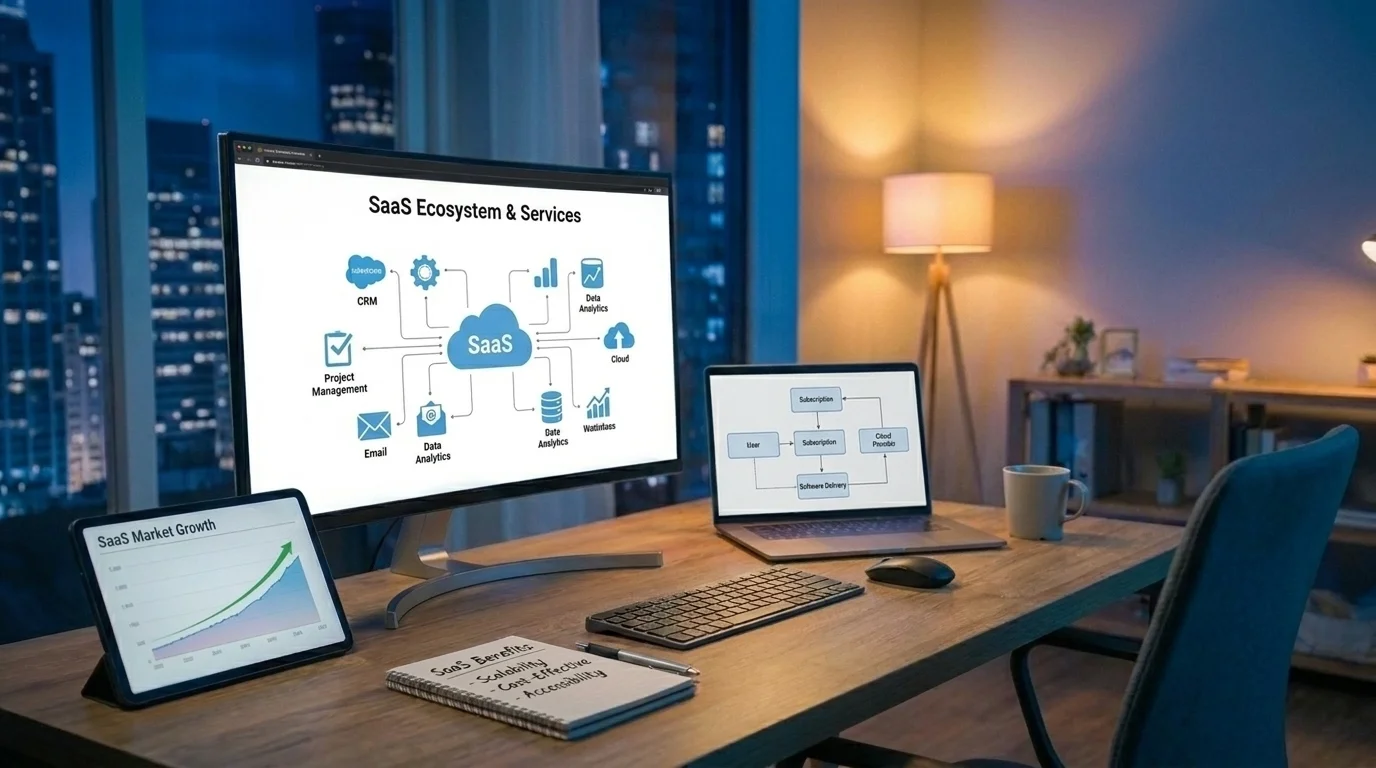
So what is SaaS, and why does nearly every modern business run on it? SaaS stands for software as a service. It's cloud software you access through a browser or app and pay for on a subscription basis, instead of buying and installing it once.
This guide covers how SaaS works, what it costs, where it helps, where it falls short, and how startups can either choose the right tools or build a SaaS product of their own. If you only need the basics, read the first two sections and skip ahead to the pricing part. If you're planning to build, read it all.
What Is SaaS? A Simple Definition
SaaS is a way of delivering software over the internet. The provider hosts the application on its own servers, handles updates and maintenance, and charges you a recurring fee to use it.
You don't install anything heavy. You don't manage servers. You log in, and the software is there.
The U.S. National Institute of Standards and Technology describes SaaS as one of three core cloud service models in its official definition of cloud computing. The other two are:
- IaaS (Infrastructure as a Service): You rent raw computing power, storage, and networking. Think of renting the land and building the house yourself.
- PaaS (Platform as a Service): You get a ready environment for building and running apps without managing the hardware underneath.
- SaaS (Software as a Service): You get the finished product, ready to use.
For most business owners, SaaS is the layer that matters day to day. It's the email platform, the accounting tool, the CRM, and the project board you open every morning.
SaaS vs Traditional Software
Traditional software worked like buying a car. You paid a large amount upfront, installed it on your machines, and owned that version. When a new version came out, you paid again.
SaaS works more like a gym membership. You pay monthly or yearly, you always get the latest version, and you can cancel when it stops being useful.
Here's the quick comparison:
How SaaS Works
The structure behind SaaS explains most of its strengths and weaknesses. One provider runs one main application on cloud servers, and thousands of customers use it at the same time.
Multi-Tenant Architecture in SaaS
Most SaaS platforms use a multi-tenant setup. That means many customers share the same software and infrastructure, but each customer's data stays separate and private.
Picture an apartment building. Everyone shares the same foundation, plumbing, and elevator, but each unit has its own lock. This shared setup is why SaaS is cheaper than custom-hosted software. The provider spreads costs across every customer.
The Subscription Software Model
Subscription software creates recurring revenue for the provider and predictable costs for you. The provider earns money only while you keep finding value, so there's built-in pressure to keep improving the product.
That pressure is good for customers. It's also why SaaS companies obsess over user experience and retention.
Where Your Data Lives
Your data sits on the provider's servers, usually inside large cloud platforms like AWS, Google Cloud, or Microsoft Azure. You access it through a secure connection. This is convenient, but it also means you're trusting someone else with your information. More on that in the security section.
Key Features of a SaaS Platform
Not every SaaS platform is built well, but the good ones share a few core traits:
- Browser-based access: Works on any device with an internet connection.
- Automatic updates: New features and security patches roll out without you doing anything.
- Scalability: Add users, storage, or features as your business grows.
- Integrations: Connects with other tools through APIs, so your CRM can talk to your email platform.
- User management: Admins control who sees what.
- Data backups: The provider handles regular backups and recovery.
- Clear onboarding: Good SaaS teaches you how to use it within minutes, not weeks.
If a tool you're evaluating misses more than two of these, keep looking.
Benefits of SaaS for Businesses and Startups
SaaS took over business software for practical reasons, not because it was trendy. Here's what you actually gain.
1. Lower Upfront Costs
You skip the large license fee and hardware purchase. For a startup with limited cash, that's often the difference between having proper tools and making do with spreadsheets.
2. Faster Setup
Most SaaS tools go live the same day you sign up. No installation project, no waiting on IT.
3. Built-In Scalability
Growing from 5 users to 50 usually means changing your plan, not rebuilding your systems. Scalability is one of the biggest reasons startups choose SaaS early.
4. Remote Access
Your team can work from the office, home, or an airport. Everyone sees the same data in real time.
5. Less Maintenance
The provider handles servers, security patches, and bug fixes. Your team focuses on the business instead of babysitting software.
6. Predictable Budgeting
Monthly or annual fees make planning easier. You know what you'll spend.
Drawbacks of SaaS You Should Know
SaaS isn't perfect. Better to know the limits now than find them after you've moved your whole business onto a tool.
- Costs grow over time. A $30 monthly tool feels cheap. Ten of them, scaled across a growing team, can cost more than custom software over three to five years.
- Limited customization. You get what the provider builds. If your workflow is unusual, you'll bend your process to fit the software.
- Vendor lock-in. Moving your data out can be painful, and some providers make it harder on purpose.
- Internet dependency. No connection, no access.
- Shared control over data. Your information sits on someone else's servers, under their policies.
- Price changes. Providers can raise prices or remove features from your plan, and you have limited leverage.
None of these are dealbreakers on their own. But if three or more hit your business hard, that's a sign you may need a custom build instead.
Common SaaS Use Cases in Business
SaaS covers almost every business function now. Here's where it shows up most:
- Customer relationship management (CRM): Tracking leads, deals, and customer history.
- Accounting and invoicing: Bookkeeping, payroll, and tax prep.
- Project management: Task boards, timelines, and team collaboration.
- Marketing automation: Email campaigns, lead scoring, and social scheduling.
- Communication: Team chat, video calls, and internal knowledge bases.
- E-commerce: Online stores, payments, and inventory.
- Human resources: Hiring, onboarding, and performance reviews.
- Customer support: Help desks, live chat, and ticketing.
A typical small business uses somewhere between 5 and 20 SaaS tools. A mid-sized company can easily run over 100.
SaaS Examples You Probably Already Use
You likely use SaaS every day without calling it that. A few well-known examples:
- Google Workspace and Microsoft 365: Email, documents, and storage.
- Slack: Team messaging.
- Zoom: Video meetings.
- Salesforce and HubSpot: CRM and marketing.
- Shopify: E-commerce stores.
- QuickBooks Online: Accounting.
- Canva: Design.
- Asana and Trello: Project management.
- Dropbox: File storage and sharing.
Each one solves a specific problem, charges a recurring fee, and updates itself in the background. That's the SaaS model in practice.
SaaS Pricing Models Explained
Pricing makes or breaks a SaaS business. If you're choosing tools, pricing affects your budget. If you're building one, it affects your survival. Here are the common models, ranked by how often you'll see them:
1. Tiered Pricing
Several plans (Basic, Pro, Enterprise) with more features at each level. This is the most common model because it serves small and large customers at once.
2. Per-User Pricing
You pay for each person on the account. Simple to understand, but costs climb quickly as your team grows.
3. Freemium
A free plan with limits, plus paid upgrades. Great for attracting users. Hard to convert them. Most freemium products see only a small share of free users ever pay.
4. Usage-Based Pricing
You pay for what you use, such as API calls, storage, or messages sent. Fair, but harder to predict.
5. Flat-Rate Pricing
One price, one feature set. Easy to sell, but you leave money on the table with larger customers.
If you're building a SaaS product, start with tiered pricing. It's the easiest to test and adjust.
SaaS Security Considerations
This is where many businesses get careless. Handing your data to a SaaS provider means their security becomes your security.
Before you sign up for any SaaS platform, check these:
- Encryption: Data should be encrypted in transit and at rest.
- Compliance: Look for SOC 2, ISO 27001, GDPR, or HIPAA compliance depending on your industry.
- Access controls: Role-based permissions and two-factor authentication.
- Backup and recovery: How often are backups made, and how fast can data be restored?
- Data ownership: Read the terms. You should own your data and be able to export it.
- Uptime guarantees: A clear service level agreement (SLA), ideally 99.9% or higher.
If you're building a SaaS product, security has to be part of the plan from day one. The OWASP Top Ten is a widely respected list of the most critical web application security risks, and it's a smart checklist for any development team.
Don't treat security as a feature you'll add later. Breaches kill young SaaS companies.
How Startups Can Build or Choose a SaaS Product
This is the decision most founders and business owners actually face. You have three realistic paths. They're ranked here from fastest to most involved.
Option 1: Use Off-the-Shelf SaaS
Best when your needs are standard. Accounting, email, and chat rarely need custom builds. Pick a trusted tool, set it up, and move on.
This is genuinely the fastest and cheapest route for most common tasks.
Option 2: Connect and Customize Existing Tools
Best when off-the-shelf tools cover 80% of what you need, but they don't work well together. Custom integrations, dashboards, or add-ons can close the gap without a full build.
Option 3: Build Your Own SaaS Product
Best when your workflow is unique, your costs for existing tools are climbing, or you see a market gap you want to sell into. This is the path for startups launching a SaaS business.
It's also the path with the most risk. If you're weighing this choice, our breakdown of custom software vs ready-made tools goes deeper into the trade-offs.
Steps to Build a SaaS Product
If you're going with Option 3, follow this order. Skipping steps is how startups burn through funding.
- Validate the problem. Talk to at least 20 potential customers before writing any code. Confirm people will pay to fix this problem.
- Define your MVP. List the smallest set of features that solves the core problem. Cut everything else.
- Design the user experience. Map out how users move through the product. Good UX design reduces churn more than almost any feature.
- Choose your tech stack. Pick tools that support scalability, security, and fast product development.
- Build and test. Develop in short cycles. Test with real users early.
- Set your pricing. Start simple. Adjust based on what customers actually pay for.
- Launch and market. Build an audience with SEO, content, and paid ads so people can actually find you.
- Measure and improve. Track churn, monthly recurring revenue (MRR), customer acquisition cost (CAC), and lifetime value (LTV).
This is where a development partner helps. Razen Creations LLC offers custom software development for startups and businesses that need SaaS products built around real workflows, not templates.
Real Business Scenarios: When You Need Outside Help
Theory is useful. Real situations are more useful. Here's when SaaS-related support actually makes sense.
Scenario 1: The Tool Stack Has Gotten Out of Hand
A logistics company pays for 14 separate SaaS tools. Data gets entered three times. Reports take a full day to compile. A custom platform that combines dispatch, invoicing, and tracking would cost less within two years and save hours every week. That's a custom software development project.
Scenario 2: The Product Works but Users Leave
A startup launches a scheduling SaaS. Signups are strong, but most users quit within a week. The features are fine. The interface is confusing. Professional UI/UX design services can fix onboarding, simplify navigation, and lower churn without rebuilding the backend.
Scenario 3: Customers Want a Mobile App
A fitness coaching platform runs well on desktop, but clients want to log workouts from the gym. A companion mobile app extends the SaaS product where users actually are.
Scenario 4: Great Product, No Traffic
A B2B SaaS tool solves a real problem, but nobody can find it. The fix is digital growth through search, paid ads, and content. Strong SEO services build long-term organic traffic, while PPC and social media marketing bring in leads faster during launch.
Scenario 5: You Need Authority in Your Niche
A SaaS company selling to healthcare clinics wants to stand out as an expert. Content marketing and a well-designed e-book on compliance best practices can generate qualified leads and build trust before the first sales call.
If any of these sound familiar, get a free consultation before you commit budget to the wrong fix.
Common SaaS Mistakes to Avoid
Whether you're buying or building, these mistakes cost businesses the most.
Mistakes When Choosing SaaS
- Buying for features you'll never use. Pay for what you need now, not what sounds impressive in a demo.
- Ignoring integration. A great tool that doesn't connect with your other systems creates more work, not less.
- Skipping the contract details. Check cancellation terms, data export rights, and price increase clauses.
- Forgetting about subscription creep. Audit your SaaS spending every six months. Cancel what nobody uses.
Mistakes When Building SaaS
- Building before validating. Sounds obvious, but. Most failed SaaS startups built something nobody wanted to pay for. Learn how to validate your business idea before investing real money.
- Overbuilding the MVP. Ten half-finished features lose to three that work perfectly.
- Neglecting user experience. People won't fight through a confusing product when competitors are one click away.
- Underpricing. Low prices attract the wrong customers and make growth nearly impossible.
- Treating marketing as an afterthought. Launch day isn't a strategy. Start building an audience months before you go live.
- Ignoring scalability. An architecture that handles 100 users may collapse at 10,000. Plan for growth early.
Final Thoughts
SaaS has changed how businesses buy, use, and build software. For most standard needs, off-the-shelf subscription software is the smart, fast choice. But when your tool costs keep climbing, your workflows don't fit, or you see a real market opportunity, building your own SaaS product makes sense.
The key is picking the right path for where your business is now, not where you hope it'll be in five years.
Razen Creations LLC helps startups and growing businesses plan, design, build, and market software products that solve real problems. From web development and mobile apps to UI/UX design and digital marketing, the team covers the full journey from idea to launch.
Have a SaaS idea or a messy tool stack? Contact our team and get a free consultation.
Frequently Asked Questions About SaaS
1. What is SaaS in simple terms?
SaaS (software as a service) is software you use over the internet and pay for through a subscription. The provider hosts, updates, and maintains it, so you just log in and use it.
2. What is the difference between SaaS and cloud software?
All SaaS is cloud software, but not all cloud software is SaaS. Cloud computing also includes IaaS and PaaS, which provide infrastructure and development platforms rather than finished applications.
3. Is SaaS good for small businesses and startups?
Yes, for most standard needs. SaaS lowers upfront costs, sets up quickly, and scales as you grow. The trade-off is less customization and rising costs over time.
4. How much does it cost to build a SaaS product?
It depends on complexity. A simple MVP may cost tens of thousands of dollars, while a full-featured SaaS platform can cost much more. Clear scoping and a lean MVP keep costs under control.
5. How long does it take to build a SaaS MVP?
Most SaaS MVPs take three to six months, depending on features, integrations, and design requirements. Validating the idea first can save months of wasted development.
6. Is SaaS secure?
Reputable SaaS providers use strong encryption, access controls, and compliance standards. Still, you should always check certifications, data ownership terms, and backup policies before signing up.
7. Should I build custom software or use existing SaaS tools?
Use existing tools when your needs are standard. Consider custom software when your workflows are unique, your subscription costs are climbing, or you want to sell your own product.